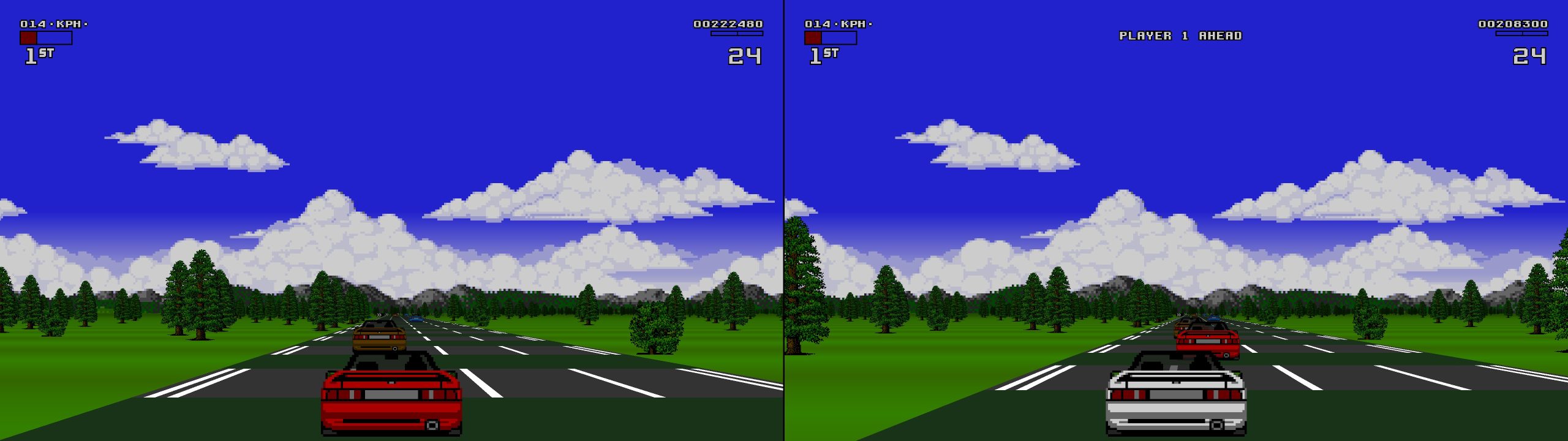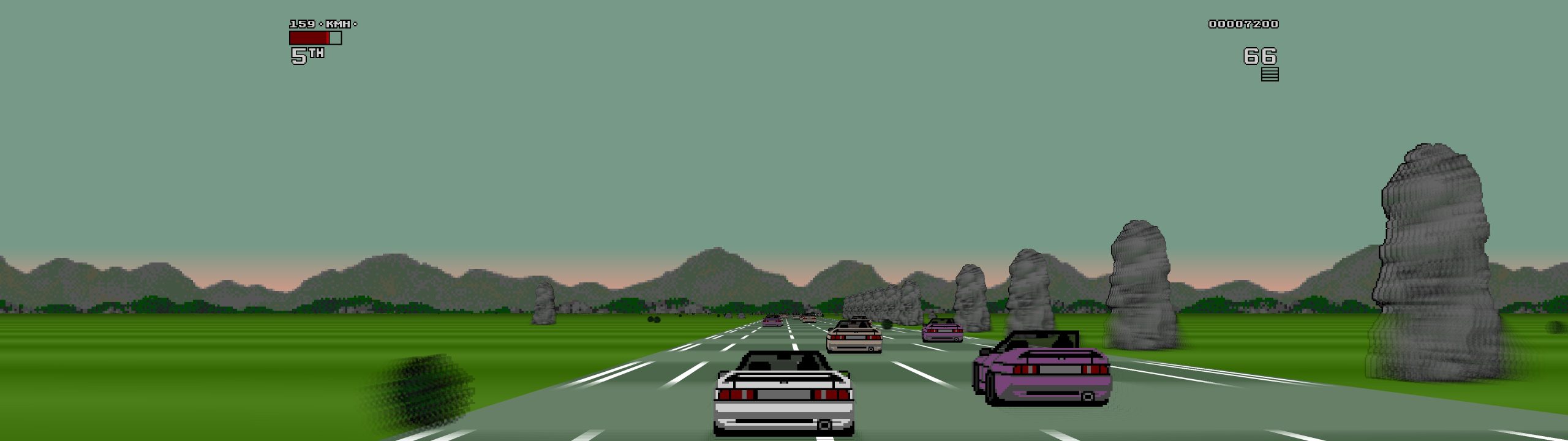
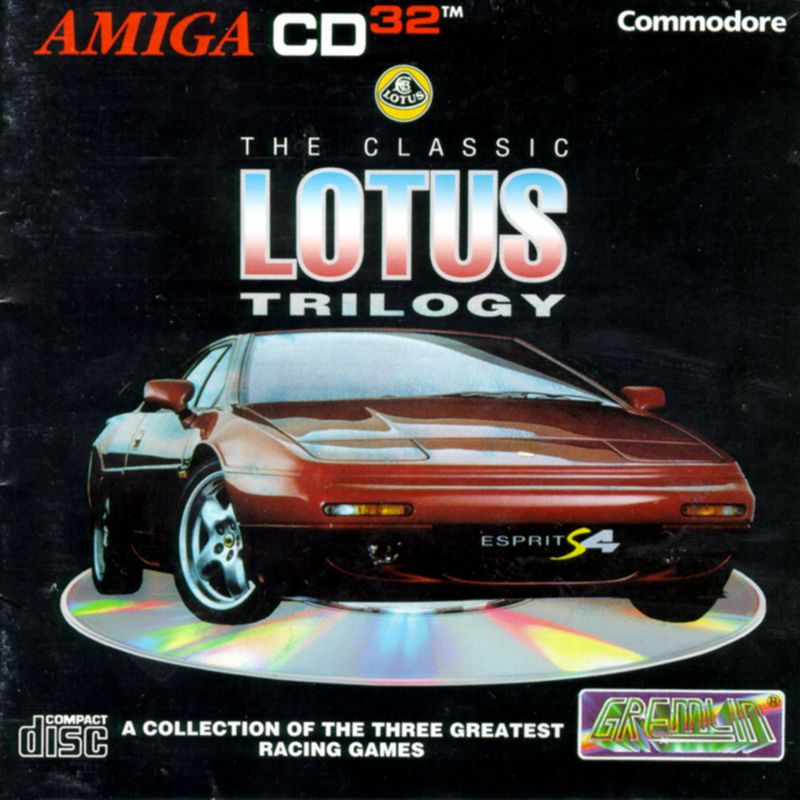
If you wanted some top tier racing action on your Amiga back in the 1990s, your best bet was to forget the terrible Amiga version of Outrun and instead boot up one of the games from the Lotus trilogy. Featuring smooth, 25 frames per second gameplay (hey, it was the 90s and this is PAL territory), split screen and system link multiplayer and with Lotus 3, an almost endless number of possible courses, it’s no wonder this trilogy is so fondly remembered by Amiga users.
Now this classic trilogy comes to Windows and Linux via an enhanced port from Almost There Games. Nelumbo is a fan made remaster of the three Lotus games that appeared on the Amiga. It is not a recomp though it does use the original assets and remains very faithful to the Amiga original, while adding some amazing enhancements such as 60fps gameplay, enhanced draw distance and much more.
Installation
To install the game on a Windows PC is relatively easy, the most difficult part is obtaining a copy of the classic games themselves. You will require a disc image of all three of the original games. These must be in ADF format. The CD32 version cannot be used and It also doesn’t seem possible to use your original floppy disks even if you have the hardware that can convert them. Note that, strictly speaking you should only obtain and use the disc images if you already own a copy of all three games in question.
Start by downloading the game from the page here. You can leave a donation to the author and we encourage you to do so, but it’s entirely optional. The game is downloaded as a zip file, simply extract it to any convenient directory. You should see files and folders that look like this:-
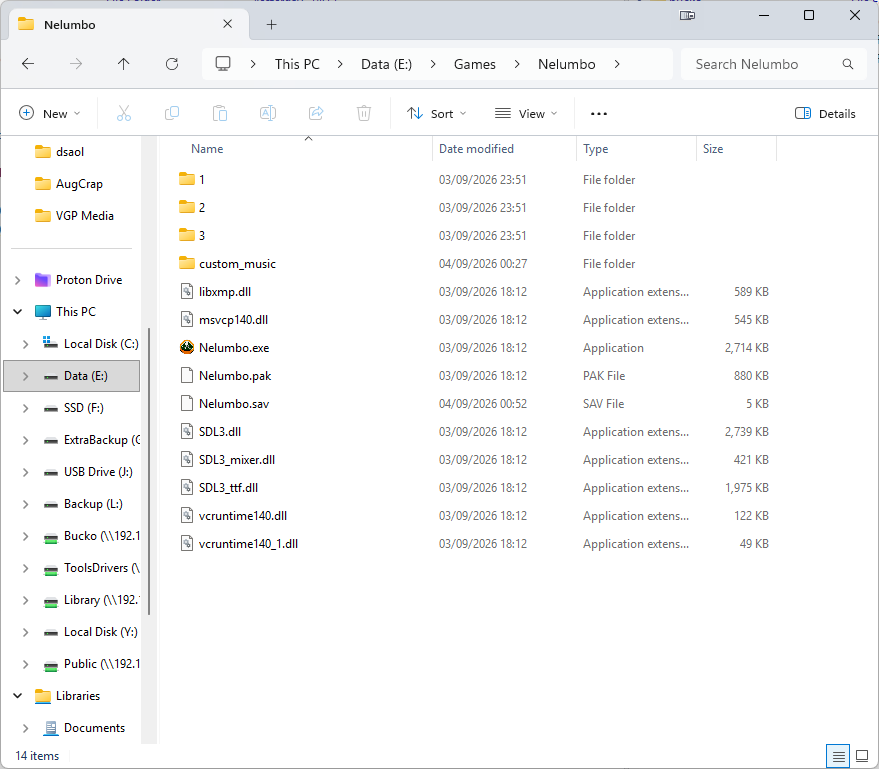
To get the game to run, you need to take your adf disk image of Lotus Esprit Turbo Challenge, rename it to “Disk1.adf” and then put it into the “1” sub folder. Now, do the same with the Lotus 2 disk image but place it in the “2” sub folder. For Lotus 3, since this game came on a whopping 2 double density floppy discs, rename the files to “Disk1.adf” and “Disk2.adf” respectively, and place them in the “3” sub folder.
Due to copyright we can’t link to the files directly. We can tell you that the disk images were from the TOSEC set, and had the following MD5 file hashes:-
- Lotus 1 – 5176B3BD0B6506AAA3BDD0F1B087C25E
- Lotus 2 – 7B8AA53B4FAC8C3A4008901BDC90F0CE
- Lotus 3 (disk 1) – A45F144DFA942B4ECE369751FBDE2310
- Lotus 3 (disk 2) – BF16EE60754A4BEF717330C0D786D21A
With the disk images renamed and copied to the relevant directories, start the game by double clicking on “Nelumbo.exe”. If one of your disk images is missing or invalid, the game will exit, letting you know which disk didn’t work. Try a different image and load the game again. If everything checks out, the game will randomly launch one of the intro sequences from one of the games in the trilogy, faithfully recreated from the Amiga originals. Press and hold the “B” button on an Xbox controller/Circle on a PlayStation controller to skip the intro and go to the main menu.
Configuring the game
This is a remake of an old 2D sprite scaling game so there are not may graphical options to configure. What options there are can be found on the main menu here:-
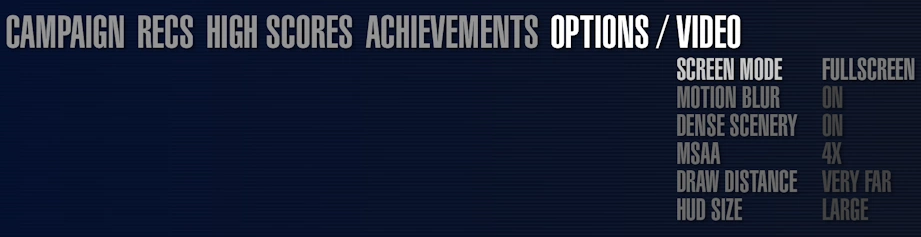
The options that affect performance are “MSAA” (multi sample anti aliasing) “Draw Distance” and “Dense Scenery”. In the unlikely event that you have performance issues with this game, you can turn these down from their maximum settings as shown in the screenshot, but even a budget PC should be able to run this game easily with everything dialled up to the maximum.
All the other video options can be set to taste. To start a game, go to the “Campaign” menu and choose whichever of the Lotus games you want to play. The first Lotus game has you racing around circuits in an all-Lotus championship. The second game swaps circuits for point to point racing and is the fan favourite. The third game added new circuits and scenery and even a track editor. If you’re trying the game out for the first time, we recommend starting with Lotus 2.
Turbocharging your Lotus experience
Unbound from 16 bit hardware, Nelumbo offers some great enhancements for your classic gaming pleasure. Here are a few new ways you can enjoy this classic thanks to the new engine.
Turbo mode – Choose single or double Turbo Mode from the options menu to speed up the game engine. This also makes the game harder and time limits stricter, so beware.
Ultrawide – As well as 16:9, ultrawide resolutions are also supported. We tested the game on our 32:9 ultrawide and it ran perfectly. Ultrawide is particularly useful for playing split screen. on a 32:9 monitor each player gets a 16:9 playing area (with the game set to vertical split in the options menu). Even better than taking your Amiga around your friends house for serial link up.
Custom soundtracks – The original game had an iconic sound track but this was usually either limited to the introduction/title screen or the user had to choose between music or sound effects. This is because the Amiga’s sound chip was limited to just four voices. Such restrictions don’t apply to modern PCs.
To use custom soundtracks, you can place any mp3, ogg or even Amiga tracker module into the “custom_music” sub-folder. This music will then be accessible from the pause menu in the game.
If you’re looking for some appropriate music to listen to while you race, check out Amiga Remix.com. As astute readers have no doubt already realised, this is a site that specialises in hosting music files that are remixes of game music from Amiga games. There are several good remixes of the music from all three Lotus games you can download for free from this website.
Nelumbo versus the Original Trilogy
Nelumbo is very much a remastering of the original Lotus trilogy, albeit a very faithful re-imagining of those games. Objectively this is the superior looking and playing version of the game, the only reason to revisit the Amiga original is purely for historical curiosity or simple nostalgia. Since version 1.20 you can even use your own custom soundtracks, meaning that you could even bring across the CD soundtrack from the Amiga CD32 version of the game should you wish to do so.
Perhaps the only thing missing from this new version of the game is the option to play a link cable game. The Amiga original allowed two Amiga’s (or even an Amiga and an Atari ST) to be connected together using a serial cable for competitive racing. As of version 1.20 no network play options exist in Nelumbo, though you can play two player split screen with no compromise to frame rate.
AI disclosure – Note that the author states that AI code was used when creating this project.