
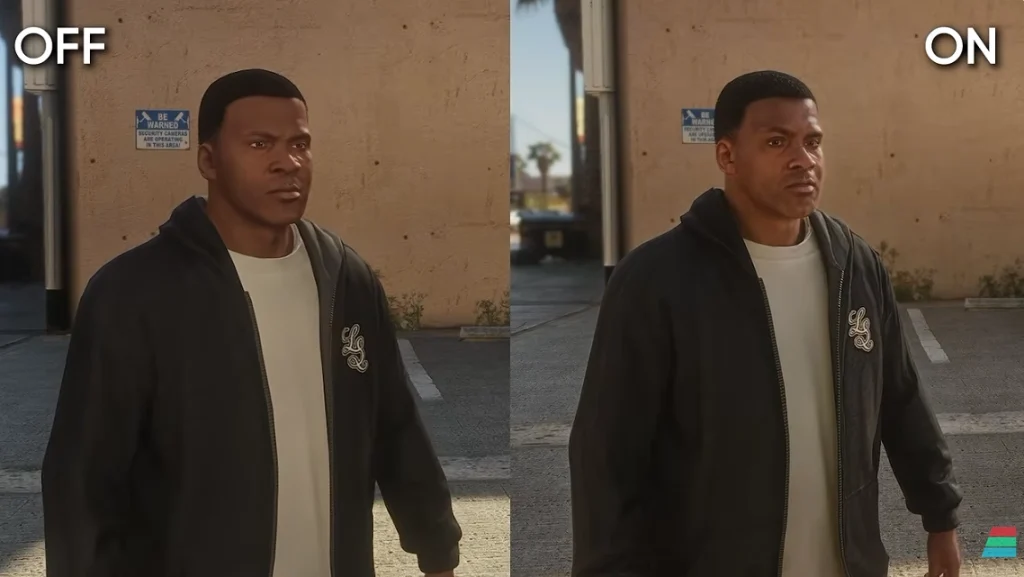
Over on the RetroRenew YouTube channel, Lewis has put together a fantastic overview of Nvidia’s new and some would say controversial AI upscaling technology, DLSS 5. If you’re lucky enough to have a 50 series Nvidia GPU you can now try out this technology on everything from the latest releases all the way back to Direct X 9 titles.
Is DLSS 5 a way to instantly remaster anything from old classics to modern titles or simply a sloppy, AI driven butchering of classic game visuals? Find out in the video below:-
Video Notes
You can download DLSS5 manager by visiting the page here. Remember that currently an RTX 50 series card is required to use DLSS 5, though support for some 40 series cards is planned for the future.
To tweak DLSS 5 settings, first install DLSS 5 into your game using the DLSS 5 manager. Start the game and press the “Home” key on your keyboard to bring up the Reshade settings and then find the “RenoDX” tab.
Changing “Scene Paper-White Scale” may be necessary on many games. Enabling mask and UI correction is recommended for most games too.
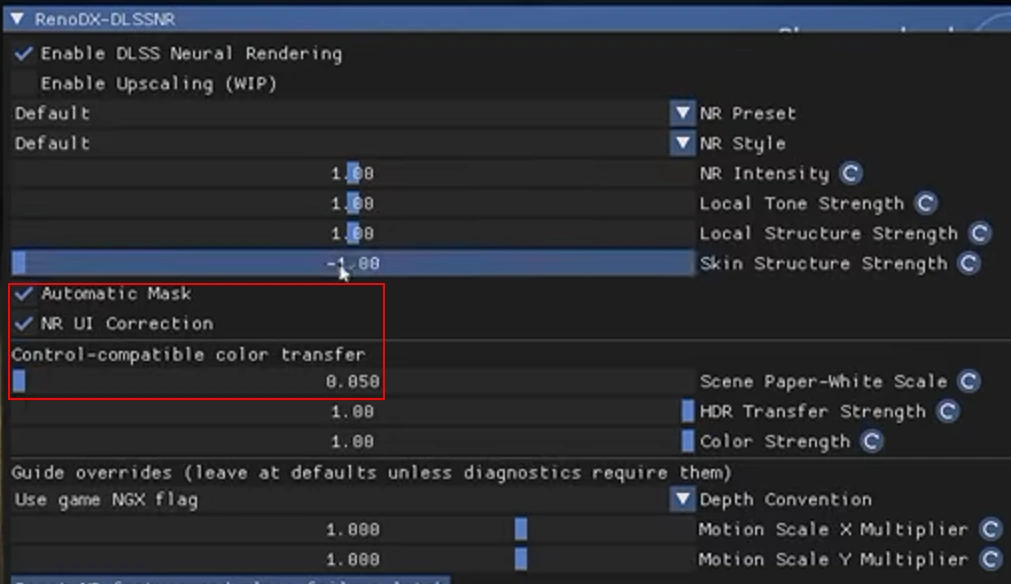
Set the “NR Intensity”, “Local Tone Strength”, “Local Structure Strength” and “Skin Structure Strength” sliders based on your own preferences.
Additional notes for DirectX 9 Games
For DirectX 9 games, you also need to take the following steps to enable DLSS 5. Install the game through the manager as normal, then start the game and press the “Home” key to open the Reshade menu. On the Home tab, ensure that the Kernel 2.0 and DLSS 5 feed options are ticked/checked:-
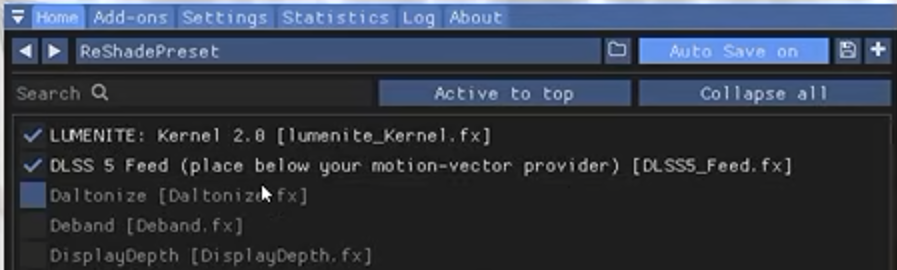
Finally, scroll down to the settings at the bottom of this window and find the “DLSS_5_MV_PROVIDER” option and set this manually to “3”, by typing the number 3 into the box and hitting the Enter key.

With those options set, DLSS 5 will be enabled in your DirectX 9 titles too. Happy tweaking!